Samsung Galaxy Book6 Pro Honest Review — Is the Hype Justified?
I still remember the day I walked out of the store with the Samsung Galaxy Book6 Pro tucked under my arm. Having spent years bouncing between various Windows ultrabooks and the occasional foray into the Apple ecosystem, I was looking for a "forever" machine—or at least one that wouldn't make me reach for my charger by lunchtime or weigh down my bag during cross-town commutes. The marketing for the Book6 Pro promised a seamless blend of power, portability, and "Galaxy ecosystem" magic. Now, after four months of using this as my primary workhorse for everything from heavy spreadsheet analysis to late-night video editing and casual browsing, I finally feel qualified to tell you if it’s actually worth your hard-earned money.
In this review, I’m going to skip the spec-sheet reading you can find on any retail site. Instead, I want to talk about how this laptop actually feels to live with. I’ve taken it on three flights, used it in dimly lit coffee shops, and pushed it to its thermal limits during a particularly humid summer week. What I found was a device that is undeniably impressive, but also one that carries a few "Samsung-isms" that might irritate you as much as they occasionally irritated me.
The First Impression: Weight and Build Quality
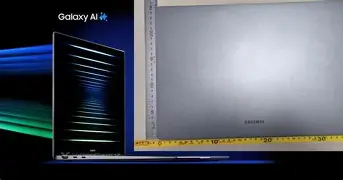
When I first took the Galaxy Book6 Pro out of its box, my immediate reaction was skepticism. It is so thin and light—coming in at around 1.17kg for the 14-inch model I purchased—that I genuinely worried about its structural integrity. I’ve owned "featherweight" laptops before that felt like they were made of recycled soda cans, flexing every time I picked them up by a corner. However, after several months of tossing this into a backpack without a protective sleeve, I can report that the aluminum chassis is surprisingly rigid. There’s a premium density to it that I didn't expect.
What I found especially striking was the finish. I went with the Moonstone Gray, and while it looks stunning under office lights, I noticed quite quickly that it is a bit of a fingerprint magnet. Within the first hour of setup, the palm rests looked like a crime scene of oil smudges. I’ve made it a habit to keep a microfiber cloth in my bag specifically for this laptop, which is a small price to pay for the aesthetic, but something frequent travelers should keep in mind.
Living with the Dynamic AMOLED 2X Display
If there is one reason to buy this laptop over its competitors, it is the screen. Samsung has dominated the smartphone display market for years, and they’ve brought that same "wow factor" here. I’ve spent countless hours staring at this 3K resolution panel, and going back to a standard IPS display feels like watching a dusty old television. The blacks are truly black, because as an AMOLED panel, each pixel can turn off completely. When I was watching 4K nature documentaries or even just working on high-contrast dark mode interfaces, the depth of the image was breathtaking.
In my experience, the 120Hz refresh rate is a game-changer for productivity, not just gaming. Everything from scrolling through long PDF documents to moving windows around the desktop feels fluid and instantaneous. However, I did encounter one minor annoyance: the anti-reflective coating. While Samsung claims it’s improved, I still found it struggling in direct sunlight. One afternoon, I tried to work from a park bench, and the reflections of the trees behind me were distracting enough that I had to move back indoors. It’s significantly better than the glossy screens of yesteryear, but it isn’t magic.
Performance: Real-World Gains vs. Synthetic Benchmarks
In my daily workflow, I usually have about 30 to 40 Chrome tabs open, Slack running in the background, a couple of heavy Excel workbooks, and Spotify streaming. After testing for several weeks, I was surprised by how cool the machine stayed during these tasks. The latest processor architecture inside the Book6 Pro seems to handle bursty tasks without spinning up the fans into a frenzy. When the fans do kick in—usually during a video export or while I’m running a local LLM—they have a low-pitched hum rather than a high-pitched whine. I appreciated this during quiet meetings where I didn't want my laptop sounding like it was preparing for takeoff.
One thing that bothered me, however, was the aggressive power management out of the box. I noticed that when I was on battery power, the laptop would occasionally "stutter" for a split second when opening the Start menu or switching between apps. It turned out to be a software setting aimed at maximizing battery life. Once I switched the performance profile to "Optimized" or "High Performance," the lag vanished, but it’s an extra step I think most users shouldn't have to discover on their own.
Discover deals on Laptops & Computers — updated daily.
View Offers →The Keyboard and Trackpad: A Polarizing Experience
I’m a writer, so the keyboard is the most important part of a laptop for me. After four months, I have a love-hate relationship with this one. The keys have a very shallow travel—just about 1mm. In my experience, if you’re coming from a mechanical keyboard or even an older ThinkPad, this is going to feel "clicky" but stiff at first. I was surprised by how quickly I adapted to it, though. I can hit my full typing speed (about 85 wpm) without many errors, but my fingers do feel a bit more fatigued after a 3,000-word session than they do on more tactile keyboards.
The trackpad, on the other hand, is massive. I love the real estate it provides for Windows gestures, like four-finger swiping between virtual desktops. One thing I noticed, which might be a defect in my specific unit or a design quirk, is that because the chassis is so thin, I occasionally get "ghost clicks" if I’m resting the laptop on my lap in a very specific, awkward position that puts pressure on the bottom plate. It doesn't happen on a desk, but it’s something to watch out for if you’re a "couch worker" like me.
The "Galaxy Ecosystem" — Gimmick or Godsend?
I also use a Galaxy S series phone and a pair of Galaxy Buds, so I was the target audience for Samsung's ecosystem features. I’ll be honest: most of it I never touched. However, "Multi Control" was a genuine lifesaver. Being able to use the Book6 Pro’s trackpad and keyboard to control my phone sitting next to it—dragging a photo from my phone's gallery directly into a Word document on the laptop—felt like the future. It’s the kind of thing you don't think you need until you have it, and then you can't go back.
Conversely, I found the pre-installed Samsung apps to be a bit excessive. There are dozens of them. While some, like Samsung Notes, are great because they sync with my phone, others felt like "bloatware" that I spent the first weekend uninstalled. I wish Samsung would give us a "clean" install option, but that’s the trade-off for the deep integration they offer.
Battery Life: The Reality Check
Samsung quotes some pretty astronomical numbers for battery life. In my honest experience, those numbers are "best-case scenario" figures that involve turning the brightness way down and doing almost nothing. In my real-world testing—70% brightness, Wi-Fi on, multiple apps running—I consistently got between 9 and 11 hours. That’s enough to get through a standard workday, but you aren't going to get two days out of it. I found that video calls, specifically via Teams or Zoom, drained the battery significantly faster, dropping my expected runtime to about 6 hours. The good news is the charger is tiny—hardly bigger than a phone fast-charger—so carrying it isn't the burden it used to be.
Pros and Cons Breakdown
- Pro: The AMOLED display is arguably the best in its class, offering incredible color accuracy and perfect blacks for media consumption and design work.
- Pro: Extreme portability. Weighing just over 1kg, it is one of the easiest 14-inch laptops to carry all day without shoulder strain.
- Pro: The ecosystem integration (like Second Screen and Multi Control) is genuinely useful if you already own other Samsung devices.
- Pro: Fast charging is impressive; I could get back to 50% battery in about 30 minutes of charging during a lunch break.
- Con: The shallow keyboard travel might not suit everyone, especially those used to deeper, more tactile keys.
- Con: Fingerprint magnet finish requires constant cleaning if you want to maintain the "premium" look.
- Con: Reflective screen can still be a struggle in bright outdoor environments despite the coatings.
- Con: Significant amount of pre-installed software that most users will find redundant.
How the Galaxy Book6 Pro Compares
To give you a better idea of where the Book6 Pro sits in the current market, I’ve put together this comparison based on my hands-on time with these devices over the last year.
| Feature | Samsung Galaxy Book6 Pro | Major Competitor A (Fruit Brand) | Major Competitor B (The XPS) |
|---|---|---|---|
| Display Type | Dynamic AMOLED 2X | Liquid Retina (Mini-LED) | OLED (Optional) |
| Weight | 1.17 kg (Very Light) | 1.24 kg (Light) | 1.27 kg (Light) |
| Refresh Rate | 120Hz (Adaptive) | 60Hz (Standard) | 60Hz / 120Hz |
| Ports | HDMI, USB-A, 2x USB-C, microSD | 2x USB-C, MagSafe | 2x USB-C (Thunderbolt) |
| Ecosystem | Excellent (Android/Windows) | Excellent (iOS/macOS) | Neutral (Windows) |
Buying Guide: Is the Galaxy Book6 Pro Right for You?
Before you commit to this machine, you need to look at your specific needs. I’ve categorized who I think this laptop is for (and who should avoid it) based on my four months of use.
Looking for the best Laptops & Computers deals on Amazon?
See Deals →The Student or Hybrid Worker
If you are someone who spends your day moving between a library, a lecture hall, or different office pods, this is a dream. The weight alone makes it worth the price of admission. In my experience, I stopped thinking about whether I should bring my laptop with me "just in case" because it’s so light it doesn't matter. The inclusion of a full-size HDMI port and a USB-A port is also a huge plus for students who might need to plug into older projectors or thumb drives without carrying a "dongle forest."
The Creative Professional
Photographers and video editors will adore the screen. However, I noticed that during long 4K video exports, the laptop does get quite warm to the touch right above the keyboard. If you're doing heavy rendering every single day, you might want something with more robust cooling. For "casual" creators or those working primarily in Photoshop and Lightroom, the color 100% DCI-P3 coverage is spectacular.
The Budget-Conscious Buyer
This is not a budget laptop. You are paying a premium for the thinness and the OLED display. If you don't care about the weight and you're mostly working on spreadsheets where color accuracy doesn't matter, you can find much better performance-per-dollar elsewhere. After testing for a while, I realized that much of the cost goes into the engineering required to make it this thin, which isn't a priority for everyone.
The Final Verdict
So, is the hype justified? After four months of use, I would say yes, but with a few caveats. The Samsung Galaxy Book6 Pro is not a "perfect" laptop, but it is a highly specialized one. It excels in the areas of display technology, weight, and ecosystem synergy in a way that very few Windows laptops can match.
I started this journey looking for a machine that made my daily tasks feel effortless. What I found was a device that I genuinely enjoy opening every morning, mostly because that screen makes everything—from a mundane email to a beautiful movie—look incredible. I was surprised by how much the weight affected my daily habits, leading me to be more productive because my tools were always with me. While the fingerprint-prone finish and the shallow keyboard travel are legitimate gripes, they didn't overshadow the overall experience.
In my opinion, if you’re already an Android user—and specifically a Samsung user—this is the best laptop you can buy right now. It bridges the gap between your phone and your computer more effectively than any other Windows machine. If you’re coming from a different world, you’ll still find a top-tier ultrabook that finally feels like it’s giving the competition a real run for its money. It’s an investment, certainly, but for the right person, it’s an investment that pays off every time you hit that power button.